
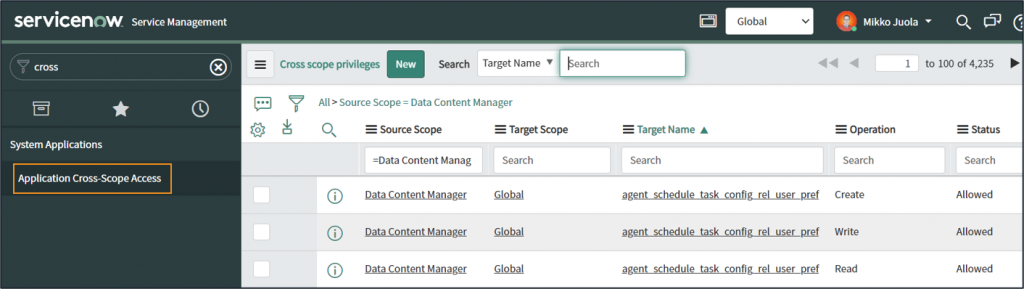
Cross-scope privilege records are used to keep track of runtime access tracking and allow scoped applications to work with tables that belong to other application scopes. The nature of the DCM application requires that cross-scope privilege records are created between DCM and other applications to allow read, write, and create operations for tables that do not belong to the DCM application. Cross-scope privileges are given on an application level and, as such, do not give individual users any rights to work with data through DCM.
You can read more about DCM User Roles and how they relate to cross-scope privileges and other user roles and ACLs within your ServiceNow instance from here.
Creating Cross-Scope Privilege Records
Available classes are used to define which tables are made available for Blueprint Designer. These are also the tables into which DCM needs read permission for auditing and create and write permissions for content planning.
Defining Cross-Scope Privileges is a mandatory step in the DCM Guided Setup.
Linked Update set includes a script and UI actions that will enable creating these cross-scope privilege records directly from the Available Classes and Available Relationship records.
You need to review cross-scope privileges whenever new tables are included in Blueprint Designer, for example when new plugins are activated or new custom tables are created.
Installation and Setup
Follow these steps to set up privileges for all tables included on Available Classes:
- Download and commit the following update set
- Import and Commit the update set like any other update set
- Go to one of the Available classes records

- Create privilege records for all tables included under selected Available classes record by starting the “Set up Scope Access for DCM” UI Action

- Repeat to other Available classes records if needed
- Then repeat the same for Available Relationships
- Done!
Alternatively, you can select all Available Class / Relationship records at once and run the script for all of them.
This can take a while, but less clicking is required.
