
DCM license key is required to enable the application in a ServiceNow instance. License keys are customer and instance specific and include details about the current license subscription and consumption.
Enter the secret license key and password to matching system properties. You can find the system properties from the DCM Guided Setup or from the navigation menu under Basic Setup –> License Key
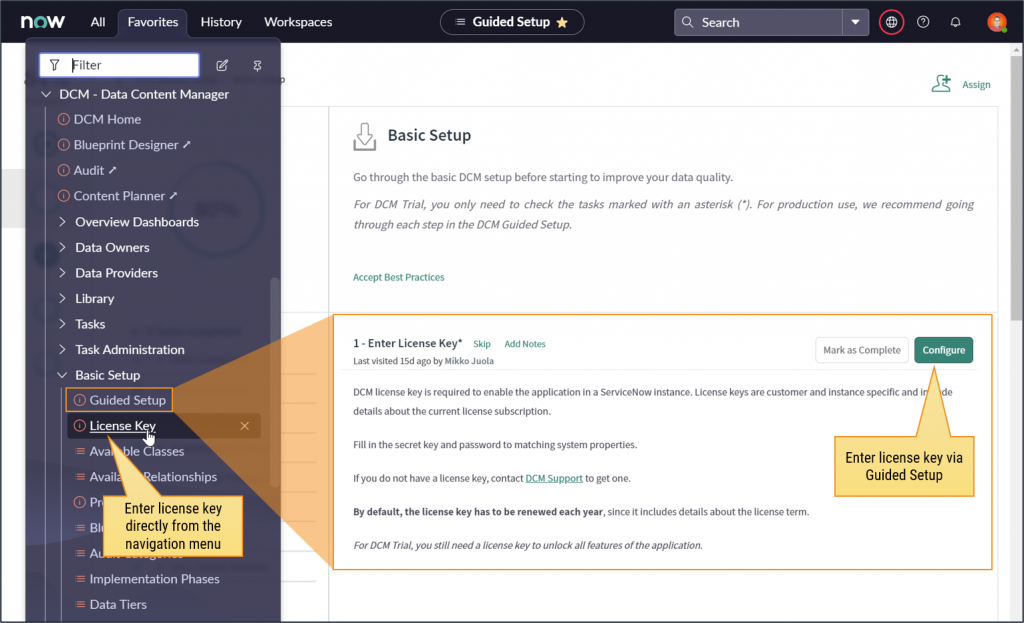
DCM license related system properties are grouped under one view.
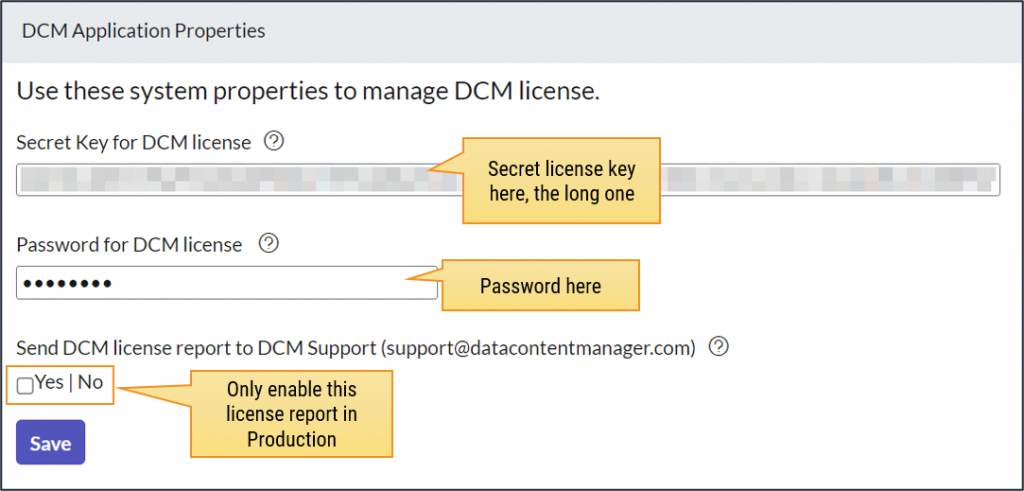
If you do not have a license key, contact DCM Support to get one.
Once you have added or updated the secret key and password, navigate to “DCM Home” page to review the license details.
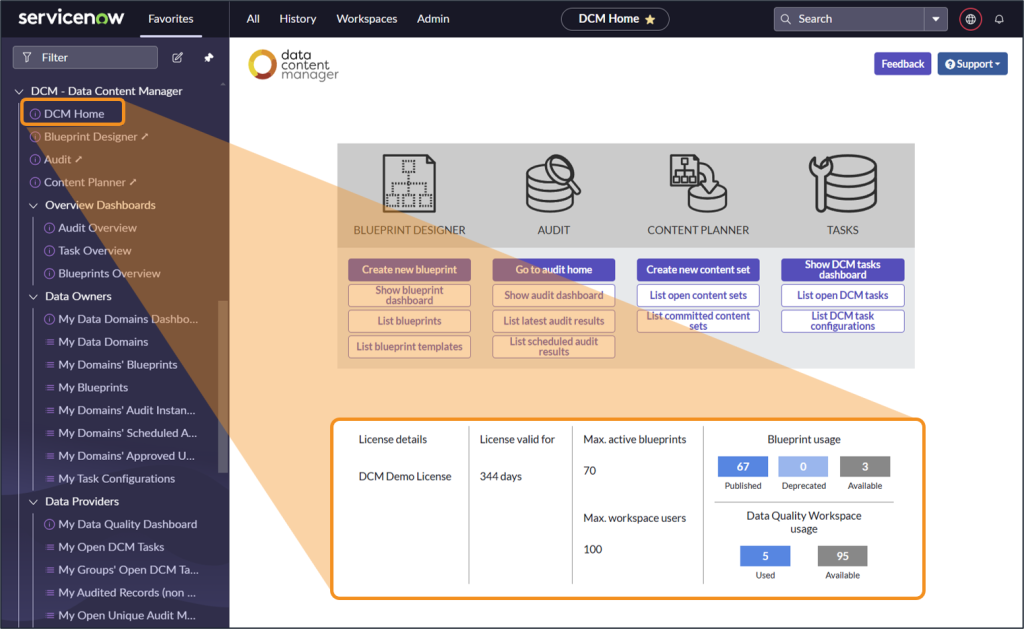
If you see any error messages here, make sure you entered the correct data to the system properties and DCM Support to get help if resetting the keys do not help.
By default, the license key has to be renewed each year, since it includes details about the license term.
For DCM Trial, you still need a license key to unlock all features of the application.
License Keys are Instance-Specific
Since license keys are used to control DCM usage in different instances, the keys are instance-specific. If you are getting the following error message on the DCM Home page, Blueprint Designer or Audit Home, you should check the correct instance name from the system properties.
“DCM license keys are instance-specific. The current license key has been generated for another instance, set up a license key specific to this instance.”
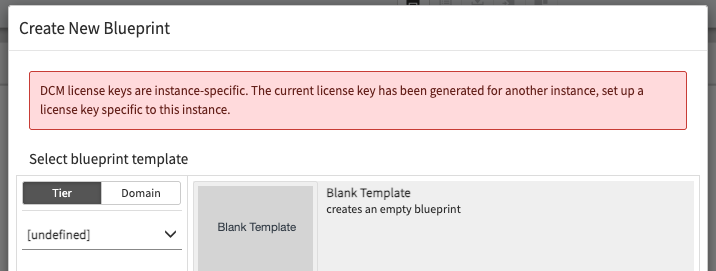
This isn’t usually a problem in the ServiceNow Cloud instances, but on-prem and custom cloud environments may have different instance names as implied by the domain name or URL.
There is a system property called instance_name that is the “real name” regardless of the domain name. Our license keys are associated with that name.
Inform DCM Support about the invalid key and provide the value from the instance_name system property in order to generate a correct key for that instance.