
DCM version (6.1) now available for update.
How to Update
You can update the app from ServiceNow’s “Application Manager.” Remember to sync with the ServiceNow Store before attempting to update.
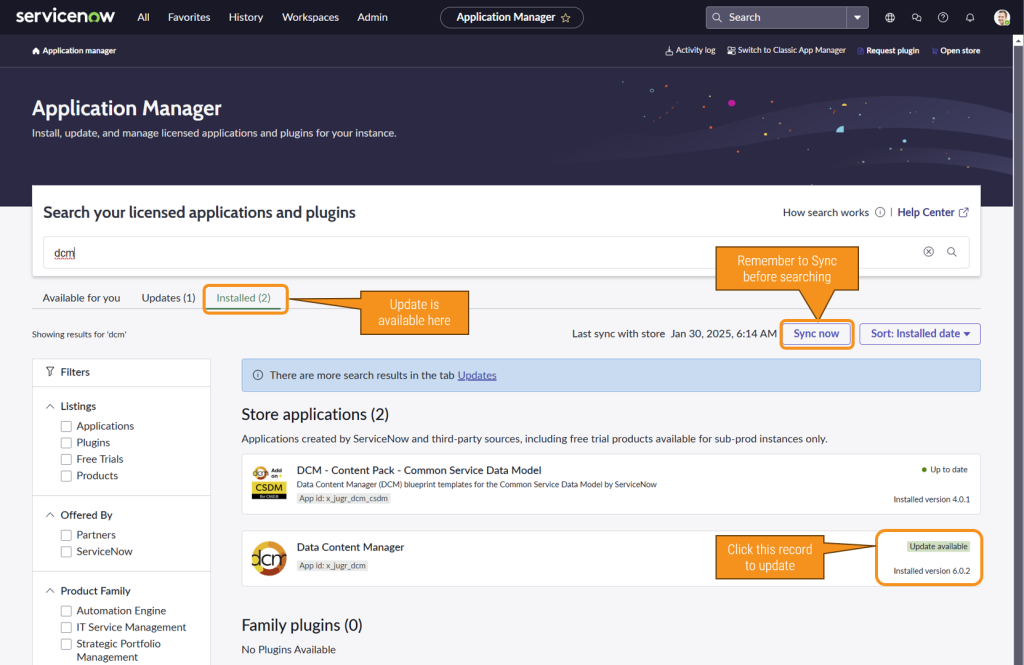
Please note that this update may take some time as it includes new tables and updates to data.
- Open ServiceNow’s “Application Manager.”
- Sync with the ServiceNow Store.
- Proceed with the update.
Post-Update Tasks
After updating, a system admin should perform the following post-update tasks:
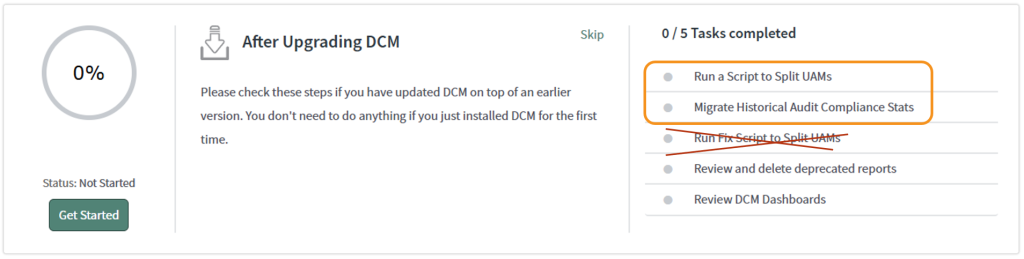
- Run the script to update historical audit instance data.
- Run the script to move unique audit messages to non-compliant and compliant UAM tables.
- The third task, “Run Fix Script to Split UAMs,” is not necessary and should be ignored.
These scripts are available in the Guided Setup under the “After Upgrading DCM” section.