
Sometimes it might be handy to show audit messages as a Related list on a form view used to manage data. For example on a Business Application form view to highlight deviations found be the latest audits.
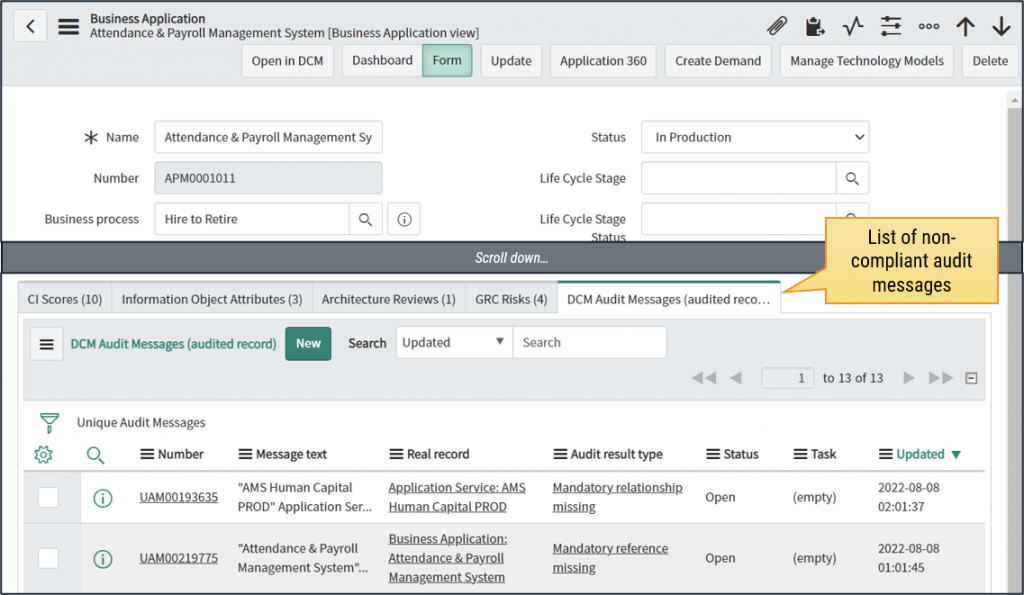
This add-on will create a Relationship definition to “Global” table allowing you to add a Related List for Unique Audit Messages to any form view.
This add-on includes
Relationships:
- DCM Audit Messages (audited record)
- DCM Audit Messages (real record)
Installation and Setup
Download the following update set and commit it to a ServiceNow instance which has DCM already installed:
After committing the update set, follow these steps to show Unique Audit Messages on selected tables/form layouts:
- Go to any list view for a table you want to show non-compliant Unique Audit Messages as a Related list, for example Business Applications
- Open any record
- Right-click the form header and select Configure → Related lists
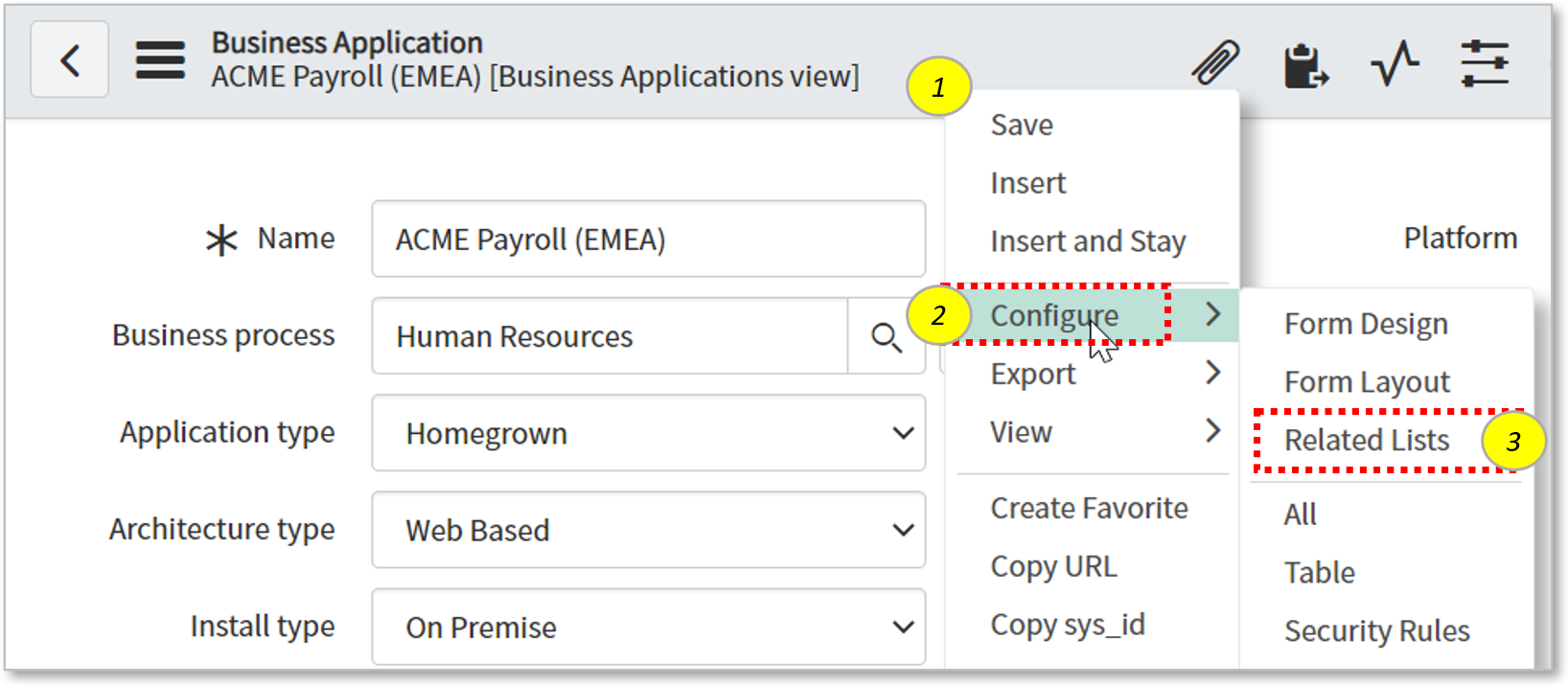
- Search for “DCM Audit Messages” from the Available list
- There are two options, one is based on Audited record reference and another based on Real record reference
- Please check the difference between Real and Audited Records from Glossary.
- Select the list you want to use and click Save.
- Optional steps to disable creating new audit messages via the Related list
- Right-click the header column of the related list
- Select Configure → List Control
- Select “Omit new button”
- Save
- Done!