
The issue “Content Planner unable to update mandatory reference fields” was fixed as part of hotfix/R6.1.1, while the fix may not work in certain scenarios. This article describes identified scenarios when Business Rule can still prevent the record/data changes done from Content Planner.
Overview
The scenarios described below are performed with test data as described below, the tests were performed in a instance, which didn’t have “plugins/product” that overrides the base functionality of servicenow cmdb. It means introducing “new” business rules, security rules and so on.
Blueprint
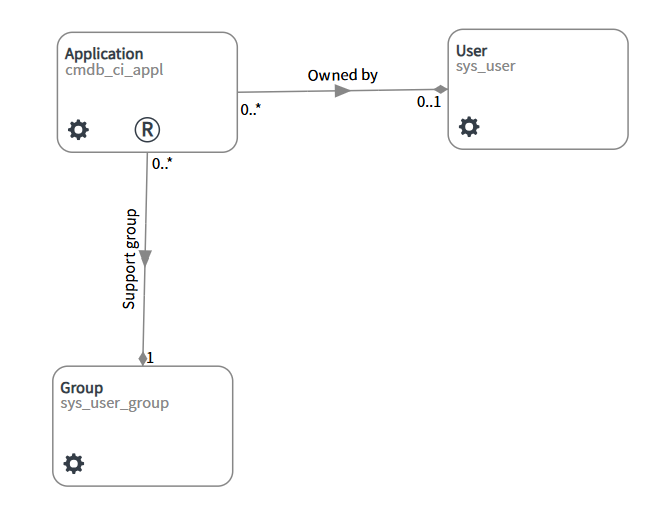
Business Rule
- table: cmdb_ci_appl
- When: Before, order: 100, INSERT & UPDATE
- Condition: Support Group changes
- Script: if support_group field is empty then aborts the current transaction
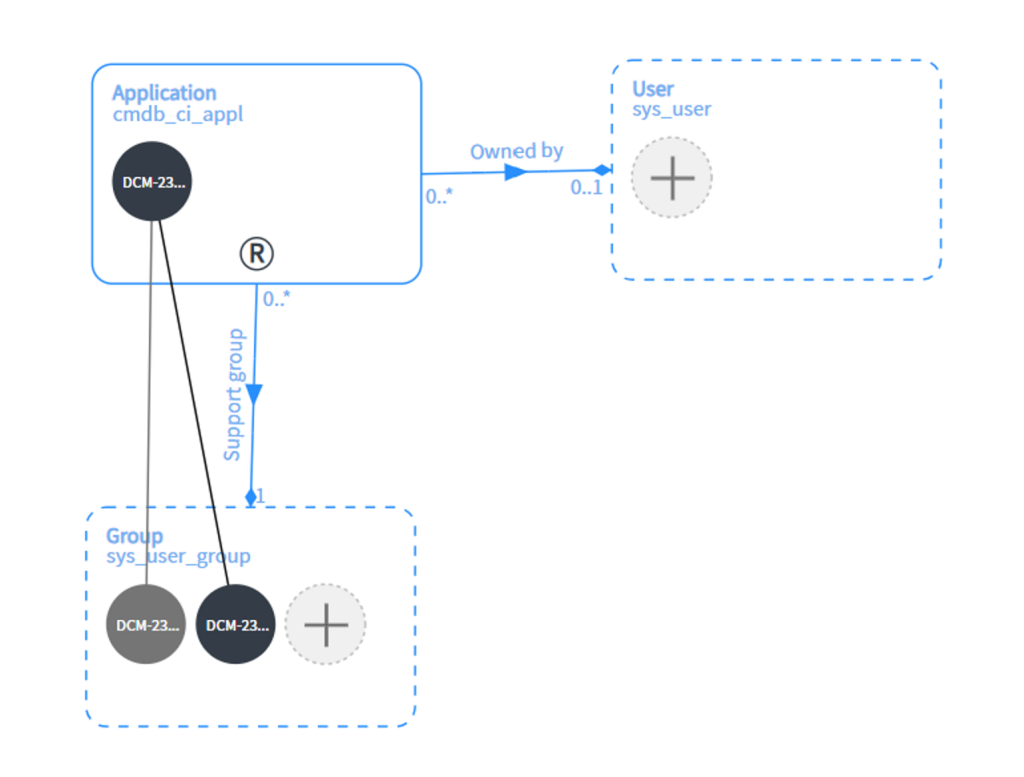
Scenario 01: Related Item Not Loaded – first add new link
The user performing test should not have preference “Auto load related items” selected as “Yes”. The following describes actions steps performed.
- Record dragged onto the Application record
- Related items should not be reloaded automatically.
- Add “unlinked/unconnected” support group record onto Group. The record should be automatically linked to the application record.
- Click on the application record and “load related items”.
- Remove the existing “support ref link”.
- Try to populate the content set
- The population should fail.
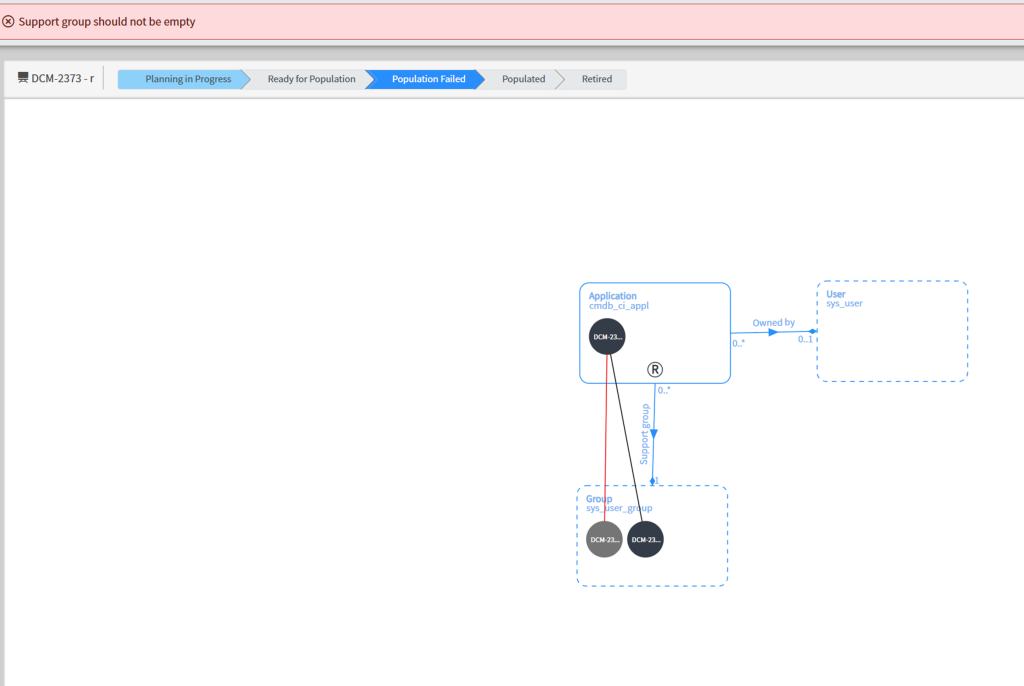
Scenario 02: Create desired record – add new reference
I want to create a placeholder application record (App01) in Application container with minimum details. I want to use existing Container Link (Support Group) when making connection to support Group record.
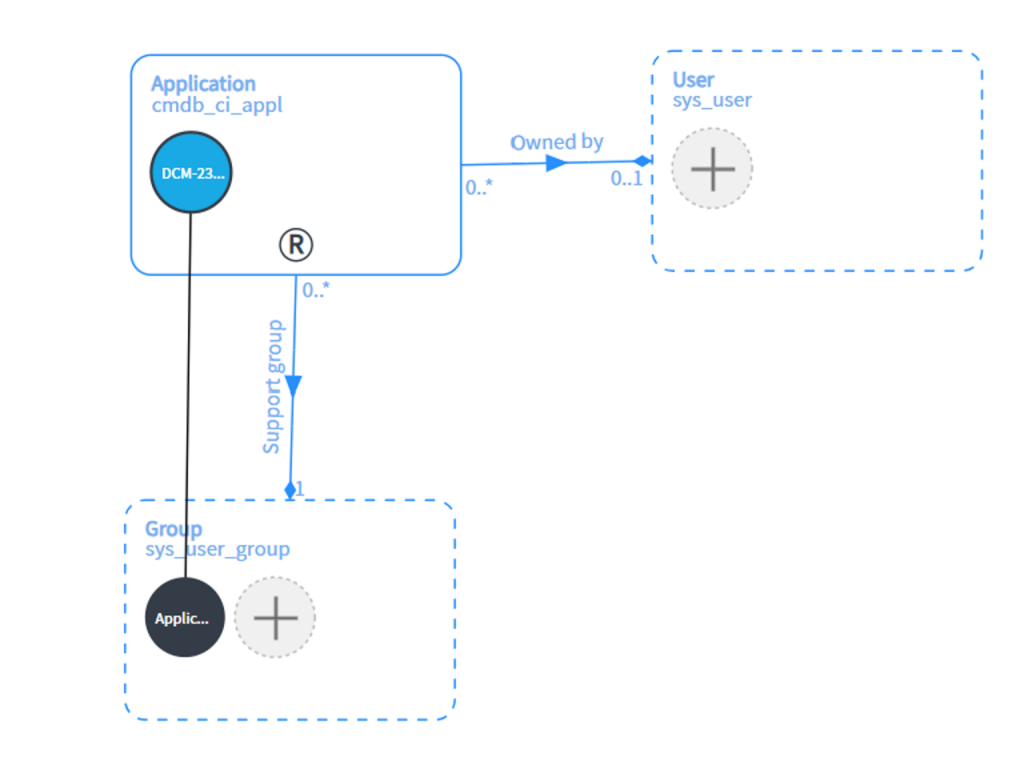
The data population fails, as the updates happen in sequence of two separate transactions: first create desired record then try to update a desired record’s support group field.